Small Business SEO Checklist: 15 Practical Checks
Updated: Sep 12
Use this small business SEO checklist to check whether your website has the basics needed to rank, earn trust and generate enquiries.
Once you know which services deserve separate pages, work out how many service pages your small business website actually needs before expanding the site. The aim is to cover distinct customer needs without creating weak pages simply to increase the page count.
If you are not yet sure why these areas matter, start with our guide to why SEO is important for small businesses.
If your website is live but not showing well on Google, attracting the wrong visitors or failing to convert traffic into leads, do not start with random changes. Start by checking the foundations: page purpose, titles, headings, content, local signals, internal links, trust signals and calls to action.
If you want these checks applied to your own website, request an SEO review and get a clear action plan showing what to fix first.
Free audit tools can help you run some of these checks quickly, but do not assume every warning deserves equal attention. Read Can You Trust a Free SEO Audit? before working mechanically through an automated score.
The quick answer
A small business website should make it clear:
what you do
who you help
where you work
what problem you solve
why someone should trust you
what the visitor should do next
If your website does not make those points obvious, SEO will be harder and enquiries will be weaker.
Do not start with advanced tactics.
Start with the basics that affect rankings, relevance and conversion.
If you are about to rebuild the site on another platform, record those basics before anything is replaced. See Does Changing Website Platform Affect SEO? for the checks worth preserving across a Wix, WordPress, Shopify or other CMS migration.
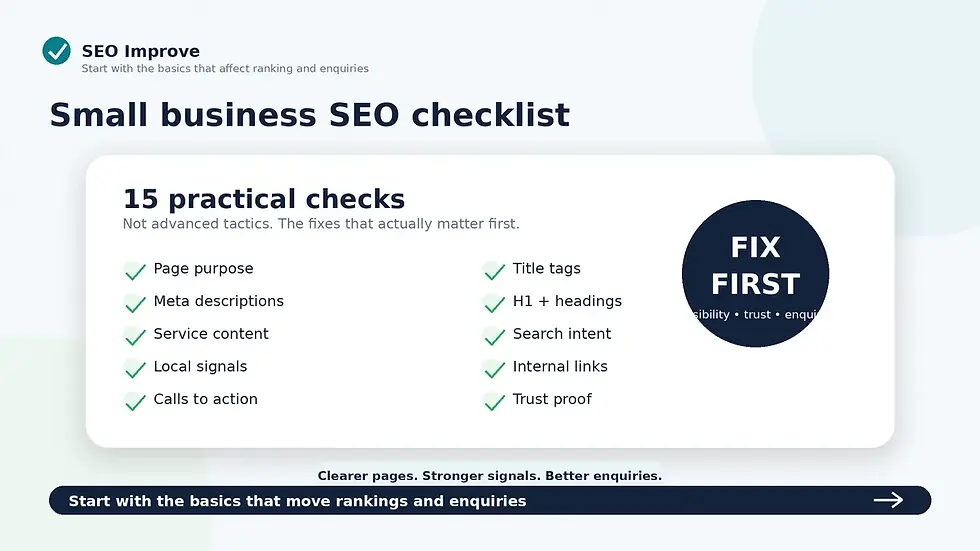
Score each area as Red, Amber or Green: page titles, meta descriptions, main headings, service-page content, local SEO signals, internal links, trust signals, calls to action, mobile usability and indexing basics.
Small Business SEO Checklist
1. Check whether each important page has a clear purpose
Every important page should have one clear job.
Your homepage should introduce the business and guide people to the right next step.
Your service pages should explain specific services.
Your pricing page should reduce uncertainty.
Your contact page should make enquiries easy.
Your blog posts should answer useful questions and point readers towards a relevant service. That does not mean forcing a sales link into every article. See when blog posts should link to service pages and how to make that transition naturally.
A weak page tries to do everything.
A strong page has a clear purpose and moves the visitor forward.
Ask yourself:
what is this page for?
who is it aimed at?
what should the visitor understand?
what should they do next?
If you cannot answer those questions quickly, the page is probably too vague.
2. Check your page titles
Page titles are one of the most important SEO basics.
They help search engines understand the page and influence whether someone clicks from search results.
A weak title is vague:
“Home”
“Services”
“Welcome”
A stronger title is specific:
“SEO Review for Small Business Websites”
“Local SEO for Small Businesses”
“Website Not Showing on Google? Practical Fixes”
Each important page should have a unique title that reflects the real topic of the page.
Do not waste title tags on generic wording.
3. Check your meta descriptions
Meta descriptions do not directly fix rankings, but they can affect click-through.
A good meta description should tell the searcher what the page offers and why it is worth clicking.
Weak meta descriptions are vague, duplicated or missing.
Strong meta descriptions are clear, specific and useful.
Not every URL deserves the same amount of optimisation, however. Our guide to whether every page needs a meta description explains which pages should be prioritised, when Google may generate its own snippet and why a missing description is not automatically an urgent SEO problem.
A good structure is:
problem
value
outcome
For example:
“Find out why your small business website is not showing on Google and what to fix first, from page titles and content to local SEO and trust signals.”
That is much stronger than:
“Welcome to our website. Learn more about our services.”
4. Check your main heading
Each page should have one clear main heading.
The main heading should confirm what the page is about.
A weak heading says:
“Helping Your Business Grow”
That could mean anything.
A stronger heading says:
“Focused SEO Reviews for Small Business Websites”
That tells the visitor exactly what the page is about.
Your main heading should usually include the core topic of the page in plain English.
Do not make visitors guess.
5. Check your heading structure
Headings are not just visual styling.
They help structure the page for readers and search engines.
A strong page usually has:
one clear H1
useful H2 sections
H3 headings where extra detail is needed
no random heading jumps
no empty headings
no headings used only because the font looks bigger
Headings should help someone scan the page and understand the argument quickly.
If your headings are vague, your page will feel vague.
6. Check whether your service pages are too thin
Thin service pages are a major problem for small business websites.
A service page with two paragraphs and a contact button is usually not enough.
A useful service page should explain:
what the service is
who it is for
what problem it solves
what is included
what the customer receives
why the service matters
what happens next
how to enquire
Search engines need enough content to understand the page.
Customers need enough clarity to trust you.
Thin pages usually fail both tests.
Also check whether the information that would make the page useful has been placed somewhere else, such as a brochure or downloadable price list. Our guide to whether important content should be a PDF or web page for SEO explains when that information should be brought into the page itself.
Do not assume the title and main heading must be copied word for word. Our guide to whether your page title and H1 should be the same explains what should match and where natural variation can improve the page.
There is no fixed number of words that makes a page strong, however. See how long a service page should be for SEO for a practical way to judge whether a page contains enough useful information without padding it with filler.
Before creating more pages, it is also worth deciding whether your services are structured properly in the first place. See should every service have its own page? for a practical way to decide which services need dedicated pages and which should stay together.
7. Check whether your content matches search intent
Search intent means the reason behind a search.
Someone searching “what is an SEO review” wants an explanation.
Someone searching “SEO review for small business” may be closer to buying.
Someone searching “website not showing on Google” wants diagnosis.
Each page should match the intent behind the search.
A blog post should answer the question.
A service page should explain the offer. If Google can find your company but you have very little visibility for those commercial service searches, read why your website ranks for your business name but not your services.
A pricing page should reduce uncertainty.
A request page should make action easy.
If a page attracts the wrong type of visitor or fails to answer the real question, it will struggle to convert.
8. Check your local SEO signals
If you serve a local area, your website should make that clear.
Your site should explain:
where you are based
what areas you serve
whether you work locally, regionally or nationally
which services apply to which areas
Useful local wording might include:
“SEO reviews for small businesses across Wirral, Cheshire, Merseyside and the wider North West.”
Weak local SEO usually looks like either no location signals at all or awkward keyword stuffing. Local SEO for Small Businesses.
Do not hide your service area. Do not spam town names either.
If you are unsure what “make your service area clear” means in practice, read where you should list the areas you serve on your website for specific recommendations covering your homepage, service pages, contact page, footer and location pages.
Make your location relevance clear and natural.
If you cover several locations, the next decision is whether those areas belong on existing pages or need dedicated URLs. See whether you should create a page for every town you serve before building location pages.
Matching the website also includes choosing a sensible website destination from the profile. Our guide to whether Google Business Profile should link to the homepage or a service page explains when the homepage, a specific service page or a location landing page is the better fit.
If these local-search checks are your main concern rather than just one part of a wider website problem, a dedicated local SEO review can examine your website, Google Business Profile, reviews, service areas and local competitors together.
9. Check your internal links
Internal links help visitors and search engines understand your website.
They also guide people towards the next step.
For example:
a blog post about low enquiries should link to your SEO review service
a local SEO post should link to what the review checks
a checklist post should link to pricing
a service page should link to the request form
an example report page should link to request a review
The aim is not to add links everywhere. If you are unsure how much is enough, see how many internal links a small business web page should have for a practical way to balance useful connections without cluttering the page.
Do not rely on the main menu to do all the work.
Add useful links inside the copy where they help the reader.
A page that educates but sends the visitor nowhere is leaking opportunity.
Do not only check whether the website ranks. Check which URL is ranking. If Google repeatedly selects a different page from the one you intended, see why Google may be ranking the wrong page on your website.
10. Check your calls to action
Every important page should make the next step obvious.
Weak calls to action include:
Learn More
Submit
Click Here
Get Started
They are often too vague.
Stronger calls to action include:
Request an SEO Review
Send Us Your Website
View SEO Review Pricing
See What We Check
View an Example Report
The CTA should match the page.
If someone is reading an SEO checklist, the obvious next step is:
Do not make interested visitors work out what to do next.
The main action should also remain available as the visitor moves through longer commercial pages. See how many calls to action a service page should have and why repeated primary CTAs are different from competing actions.
11. Check your trust signals
People need confidence before they enquire.
Trust signals help reduce doubt.
Useful trust signals include:
testimonials
reviews
example reports
clear pricing
named service areas
plain-English process
contact details
examples of what the customer receives
clear explanation of what happens after enquiry
A dedicated FAQ page can remove several of those uncertainties at once. Send-A-Scene's personalised cartoon video FAQs, for example, answer questions about delivery time, video format, revisions and whether the service is suitable for businesses.
Generic claims are weak.
A central FAQ page is not the only option. Important questions about a particular service often belong directly on that service page, where the customer is making the decision. See whether service pages should have FAQs for when that approach makes sense.
Specific proof is stronger.
Do not just say you are helpful, professional or experienced.
Show the visitor why they should trust you.
For businesses where the person, team or professional background is part of that trust decision, consider whether a dedicated About page would help. Our guide to whether a small business website needs an About page explains when it is worthwhile and when the same information can sit elsewhere.
Clear facts and genuine trust evidence may also affect how easily AI-assisted search systems can understand and verify a business. See Will Customers Find Your Business Through AI? for the practical checks that matter beyond conventional search results.
For a page-by-page approach, see what trust signals a small business website should have and where reviews, examples, pricing, contact information and other proof are most useful.
12. Check your contact page
Your contact page should be simple.
Visitors should not have to hunt for a way to enquire.
Check whether your contact page includes:
a clear enquiry form
simple field labels
phone number, if used
email address, if used
reassurance about what happens next
a clear submit button
no unnecessary fields
no confusing wording
A contact form with too much friction will cost enquiries.
Ask only for what you need at this stage.
If you are unsure what information is genuinely necessary at that stage, see how many fields a contact form should have. It explains why three to five fields is a useful starting point for a simple enquiry, when additional qualification fields are justified and which questions can usually wait.
13. Check mobile usability
Many visitors will view your site on a phone.
Your mobile site should make it easy to:
read the opening message
understand the offer
use the menu
tap buttons
find pricing
view trust signals
submit a form
contact you quickly
Mobile SEO and mobile conversion are connected.
A page can rank and still fail if it is awkward to use on a phone.
Do not only review your site on a laptop.
Check the real mobile experience.
14. Check whether your blog posts support your services
Blog posts should not exist just to fill space.
Each blog post should have a job.
It should answer a real customer question and guide the reader towards a relevant next step.
For example:
“Why Your Website Is Not Showing on Google” should point to an SEO review
“Website Visitors But No Enquiries” should point to conversion checks
“Local SEO for Small Businesses” should point to local SEO review support
“Website Audit vs SEO Review” should help the reader choose the right first step
A blog that educates without converting is unfinished.
Every post should support the commercial journey.
15. Check whether you know what to fix first
This is where many businesses get stuck.
They know the website could be better, but they do not know where to start.
That leads to random changes:
rewriting a homepage
changing colours
adding more blog posts
tweaking meta descriptions
creating extra pages
paying for ads
buying SEO tools
copying competitors
If several areas are Red or Amber, do not guess. Get the site reviewed properly before spending more on SEO or ads.
If Google Ads is one of the options you are considering, read Should You Fix Your Website Before Paying for Google Ads? before committing budget. It will help you separate the website problems worth fixing before paid traffic from the minor issues that do not need to delay a campaign.
Some of those actions may help.
Some may waste time.
The problem is not always lack of effort.
The problem is lack of priority. Website Audit vs SEO Review.
If an automated tool has already produced a long list of findings, compare what an automated audit and manual review each miss before working through it from top to bottom.
A useful SEO review should tell you what matters most and what to fix first.
Also check whether the page Google ranks is actually the page you intended. If a broad homepage repeatedly appears for a specific service query, see why your homepage might be outranking the service page.
Quick checklist summary
Use this checklist across your website:
Check | What to look for |
Page purpose | Does each page have one clear job? |
Page titles | Are they specific, unique and relevant? |
Meta descriptions | Do they encourage the right searcher to click? |
Main heading | Does the H1 clearly explain the page? |
Heading structure | Are headings logical and useful? |
Service pages | Are they detailed enough to rank and convert? |
Search intent | Does the page answer the real search need? |
Local SEO | Are service areas clear and natural? |
Internal links | Do pages guide visitors to the next step? |
Calls to action | Is the next step obvious? |
Trust signals | Is there enough proof to reduce doubt? |
Contact page | Is it easy to enquire? |
Mobile usability | Is the phone experience clean and simple? |
Blog content | Does each post support a commercial journey? |
Priorities | Do you know what to fix first? |
The blunt truth
Most small business websites do not need more random SEO activity.
They need the basics fixed properly.
A website with vague titles, thin service pages, weak headings, poor internal links and unclear calls to action will struggle to rank and convert.
Publishing more content will not fix a weak foundation.
Sending more traffic to unclear pages will not fix a conversion problem.
Guessing is not a strategy.
Want this checklist applied to your website?
SEO Improve provides focused SEO reviews for small business websites.
We check the issues that affect search visibility, trust and enquiries, including page titles, meta descriptions, headings, service-page content, local SEO signals, internal links, calls to action, trust signals and conversion friction.
You receive clear findings, practical recommendations and prioritised actions.
No jargon. No bloated report. No vague checklist.
Want this checklist applied to your own website? Get the issues prioritised page by page through our small business SEO review service.
Recommended next steps:


