Can You Trust a Free SEO Audit? What the Score Doesn't Tell You
Updated: Sep 3
If you are asking can you trust a free SEO audit, the answer is:
You can trust it to identify some problems. You should not automatically trust its score, priorities or recommendations.
A free SEO audit tool can be genuinely useful.
It may quickly identify things such as:
missing page titles
broken links
pages that cannot be indexed
missing headings
missing image alt text
slow-loading pages
duplicated information
technical configuration problems
Those checks can save a lot of time.
The problem starts when a business receives a score such as:
SEO Score: 62/100
and assumes that:
62 accurately measures how good its SEO is,
every warning needs fixing,
the red issues matter more than the green ones, and
getting the score to 100 will produce more Google visibility or enquiries.
None of those assumptions is necessarily true.
An SEO audit score is normally the tool's own assessment of the things that particular tool has decided to measure.
It is not a Google ranking score.
And it cannot fully understand your business, your customers, which services make you money or which pages actually need to perform.
The scale of the problem is easier to understand when you look at SEO audit statistics from large-scale website data, which show how common many technical and on-page issues actually are.
That is the part the score doesn't tell you.

Can You Trust a Free SEO Audit?
Yes — within limits.
Think of a free SEO audit as a diagnostic scanner.
A scanner can identify that something may be wrong.
It cannot always tell you:
how commercially important the problem is
why the problem exists
whether fixing it should be your first priority
or:
whether another problem the tool barely mentions matters much more
That distinction is important.
Suppose an SEO tool reports:
18 images missing alt text
two page titles that are slightly too long
five pages with a low word count
three pages containing too few internal links
The report may look alarming.
But perhaps the website's real problem is that its main £5,000 service is buried inside one vague Services page that does not properly target the service customers actually search for.
Fixing 18 image descriptions first may improve the audit score.
It may do almost nothing to improve the commercial performance of the website.
The issue is not whether the tool found something real.
The issue is priority.
What Does an SEO Audit Score Actually Mean?
There is no universal SEO score.
A score of:
76/100
from one audit tool does not mean exactly the same thing as 76/100 from another.
Each tool chooses:
what it checks
how much weight each check receives
what it considers an error
what it considers a warning
which recommendations affect the score
how the final number is calculated
That means two tools can inspect the same website and produce very different results.
One might heavily penalise missing image alt text.
Another may focus more heavily on technical performance.
Another may reduce the score because a title exceeds its recommended character count.
Neither score is a direct measurement of where your website will rank.
Treat the number as a summary of that tool's audit, not an SEO grade awarded by Google.
A Higher SEO Score Does Not Automatically Mean Better Rankings
This is where businesses can waste a lot of time.
Imagine two pages.
Page A
SEO audit score:
96/100
But the page:
targets a service nobody is searching for
contains generic content
offers little reason to choose the business
receives almost no useful internal links
does not clearly match customer search intent
Page B
SEO audit score:
81/100
But the page:
precisely matches an important customer need
clearly explains the service
answers buyer questions
has relevant reviews and trust evidence
is properly linked from related content
gives visitors an obvious next step
Which page would you rather have?
The second.
A mechanically perfect audit score is not the objective.
The objective is a website that can be found by the right people and helps turn those visits into business.
If your website already gets traffic but does not generate enough leads, read Why Is My Website Getting Visitors but No Enquiries?.
What Free SEO Audits Are Good At
Free audit tools are strongest when checking things that can be measured objectively.
Finding missing elements
For example:
Does this page have a title?
Yes or no.
Does this image have alt text?
Yes or no.
Does this link return an error?
Yes or no.
Automated tools are very good at running repetitive checks across many pages quickly.
Finding technical problems
Depending on the tool, an audit may identify:
broken pages
redirect problems
crawlability problems
indexing directives
malformed metadata
duplicate technical elements
performance problems
These are useful findings.
Identifying patterns
An audit may show that:
30 service pages all have identical page titles
or:
most articles contain no contextual internal links
That can expose a website-wide problem quickly.
Creating a starting point
For a small business owner who has never reviewed their website, a free audit can be a useful first look.
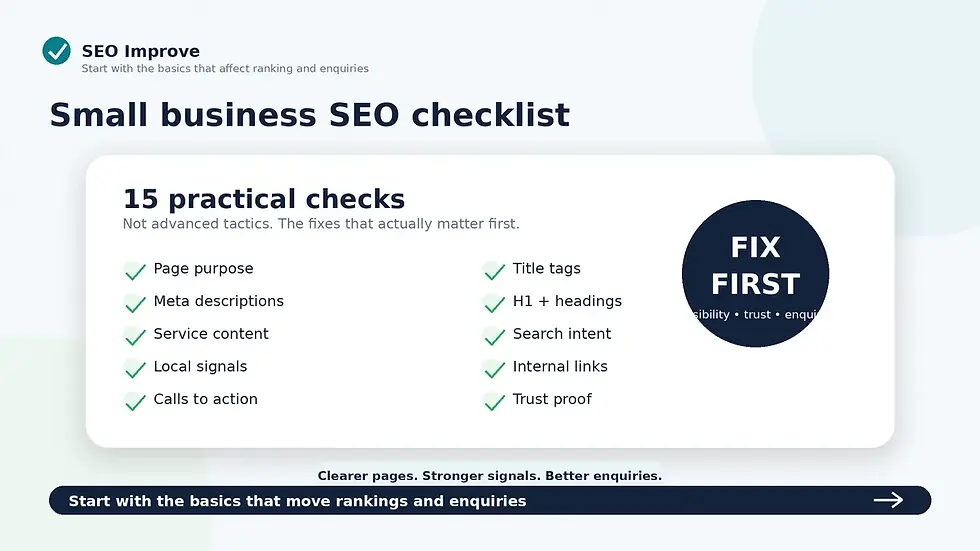
You can also work through our small business SEO checklist if you want to manually check the fundamentals yourself.
The mistake is not using free SEO tools.
The mistake is assuming the automated report represents the whole diagnosis.
What a Free SEO Audit Cannot Understand Properly
This is where human judgement becomes much more important.
1. Which services actually matter to your business
An automated audit does not know that:
Service A generates £500 jobs
while:
Service B generates £15,000 projects
It may identify four warnings on Service A and only one on Service B.
That does not necessarily mean Service A deserves attention first.
Commercial importance matters.
2. Which pages should be ranking
A tool can detect certain optimisation problems.
It may not properly diagnose whether Google is choosing the wrong URL for an important search.
For example:
You want:
Boiler Repair
to rank.
Google is showing:
Homepage
or:
Common Boiler Problems blog post
instead.
That requires looking at:
search intent
page purpose
content
titles
headings
internal links
page overlap
rather than merely checking whether each page passes an SEO test.
If this is happening on your site, see Why Is Google Ranking the Wrong Page on My Website?.
3. Whether your service pages are actually convincing
An audit can count words.
It cannot reliably decide whether those words answer what customers actually need to know.
A page could contain 1,200 words and still be dreadful.
Another could contain 700 extremely useful words and do its job very well.
This is why our guide to how long a service page should be for SEO focuses on useful completeness rather than hitting a particular number.
4. Whether your website explains what you actually sell
A page can technically pass numerous SEO checks while still being vague.
Consider:
We provide innovative, high-quality solutions tailored to each client's unique needs.
What does the company actually do?
Who is it for?
What problem does it solve?
Why should somebody contact them?
A crawler cannot judge those questions in the same way as a potential customer.
5. Which issue should be fixed first
This is probably the biggest limitation.
A typical audit may generate:
4 errors
17 warnings
38 notices
A business owner naturally starts with the errors.
But severity in the tool does not automatically equal commercial priority.
A supposedly minor issue on your most important service page may matter considerably more than ten technical warnings on pages nobody needs to find.
The Difference Between an SEO Error and an SEO Priority
These are not the same thing.
Suppose a tool detects:
Issue A
Twelve images have no alt text.
Issue B
Your main service page is poorly linked internally and Google is ranking the homepage instead.
An automated report could make Issue A look bigger simply because it occurs twelve times.
But Issue B may be much more important commercially.
Or consider:
Issue A
Three titles exceed the tool's recommended length.
Issue B
Your highest-value service has no dedicated page at all.
Again, the automated tool may give you a simple warning for A while completely missing the strategic significance of B.
An audit tells you what it detected.
A diagnosis tells you what matters.
Why Free SEO Audits Often Produce Long Lists of Problems
SEO tools need to turn complex websites into measurable checks.
That naturally creates lists.
You may see warnings such as:
title too long
title too short
meta description too long
H1 missing
low text-to-HTML ratio
insufficient word count
too few internal links
too many internal links
image alt text missing
keyword absent from heading
keyword density too low
keyword density too high
Some warnings may reveal genuine weaknesses. Others need context.
Meta descriptions are a good example. A tool can tell you that one is missing or longer than its preferred limit, but it cannot decide how commercially important that particular URL is. See does every page need a meta description? for a more useful way to prioritise those warnings.
For example, there is no universal number of internal links that every page needs.
Our guide to how many internal links a small business web page should have explains why usefulness and page relationships matter more than reaching a predetermined count.
Treat audit warnings as questions worth investigating, not automatic instructions.
Should You Fix Every SEO Audit Warning?
No.
At least, not without understanding why you are fixing it.
Before acting on any recommendation, ask:
What problem does this fix?
Which page does it affect?
How important is that page?
Could making this change create another problem?
Is this genuinely useful for customers as well as satisfying the tool?
What happens if I do nothing?
If you cannot answer those questions, do not blindly change the website simply because the audit displays a red icon.
What About Missing Page Titles and H1s?
These are worth investigating because titles and headings help communicate what pages are about.
But even here, the automated recommendation needs interpretation.
Suppose the tool says:
H1 does not match title
That does not automatically mean one needs changing.
Your page title and H1 can use different wording while still describing exactly the same subject.
For example:
Page title:Boiler Repair in Chester | Smith Plumbing
H1:Fast, Reliable Boiler Repair in Chester
That is perfectly coherent.
Read Should Your Page Title and H1 Be the Same? before changing good headings merely to satisfy an automated check.
What About Word Count Warnings?
Be particularly careful.
A tool may say:
Only 427 words — add more content.
The useful question is not:
How do I reach 800 words?
It is:
What information is missing?
If the page fails to explain:
what the service includes
who it is for
how it works
what it costs
why the business can be trusted
what the customer should do next
then yes, more useful content may be needed.
But if the page already completely answers a straightforward customer need, adding generic filler simply increases the word count.
It does not automatically increase quality.
What About Internal-Link Warnings?
The same principle applies.
An audit might say:
Page only has two internal links.
That could be a problem.
Or it could be perfectly reasonable.
A short conversion page may need very few links.
A detailed resource may naturally need many.
More important is whether:
related pages are connected
important pages receive relevant inbound links
visitors can find the next useful page
commercial pages are supported appropriately
anchor text makes sense
Quantity is only one part of internal linking.
What About Image Alt Text Warnings?
Missing alt text is worth reviewing.
But do not respond by stuffing keywords into every image description.
Alt text should primarily describe relevant images properly where a text alternative is needed.
An SEO tool may only know:
alt attribute present / missing
It does not necessarily know whether your description is useful.
This illustrates the broader problem with automated scoring:
presence can be measured more easily than quality.
That principle applies to a lot of SEO.
Can a Free SEO Audit Tell You Why You Are Not Ranking?
Sometimes it can identify contributing problems.
It usually cannot provide a complete answer by itself.
Poor visibility can result from combinations of:
weak page targeting
insufficiently useful content
poor website structure
weak internal links
wrong-page ranking
technical indexability issues
local relevance
competition
poor search-intent alignment
lack of trust or authority
A tool may identify several individual symptoms.
Working out how they interact requires interpretation.
If visibility itself is your main problem, start with Why Is My Small Business Website Not Showing on Google?.
Why Do Different SEO Audit Tools Give Different Scores?
Because they are not measuring exactly the same thing.
Imagine three driving instructors assessing the same driver.
One heavily scores:
observation
another:
smooth control
another:
road positioning
The final scores can differ even though they watched the same drive.
SEO auditing tools work similarly.
They use different:
checks
thresholds
priorities
weighting
definitions
So if Tool A gives you:
71/100
and Tool B gives you:
84/100
do not spend your time trying to determine which number is “correct”.
Ask:
What meaningful problems do both reports reveal?
and:
Which of those problems actually matters for my website?
Is a 100/100 SEO Score Worth Chasing?
No.
Not as a business objective.
If moving from 92 to 100 requires hours of work on low-priority recommendations while your main service page remains vague and unconvincing, your priorities are wrong.
The score can be satisfying.
That does not make it commercially useful.
A better objective would be:
Are the important pages indexable?
Are the right pages appearing for the right searches?
Do they explain the services properly?
Can visitors trust the business?
Is the next step clear?
Is the website generating the enquiries it should?
Those are harder questions.
They are also much more useful.
What Should You Fix First After a Free SEO Audit?
Do not work through the report from top to bottom.
I would divide findings into four groups.
Priority 1: Problems preventing important pages from working properly
Examples might include:
important pages cannot be indexed
broken important URLs
incorrect redirects
canonical problems affecting key pages
pages that cannot be reached properly
Investigate these first.
Priority 2: Problems affecting your most important commercial pages
Examples:
wrong page ranking
weak service content
unclear page targeting
poor titles or headings
important pages receiving almost no internal support
These deserve attention because the pages matter to the business.
Priority 3: Site-wide improvements
Examples:
repeated weak titles
widespread internal-linking problems
common template problems
recurring usability issues
Fixing one template or process may improve many pages.
Priority 4: Low-impact tidy-up
This is where many audit reports tempt people to start.
Small metadata tweaks on unimportant pages, cosmetic warnings or recommendations with no clear commercial consequence can wait.
Fix what matters, not what is easiest to turn green.
Free SEO Audit vs Manual SEO Review
A free automated audit and a manual SEO review are not really competing versions of exactly the same product.
They do different jobs.
Free automated SEO audit | Manual SEO review |
Runs repeatable checks quickly | Reviews the actual business and important pages |
Finds obvious technical issues | Interprets whether those issues matter |
Produces scores and warnings | Produces priorities |
Can inspect many URLs quickly | Concentrates judgement where it matters |
Checks whether something exists | Assesses whether it is useful |
Works from predefined rules | Can consider context and search intent |
Useful for monitoring | Useful for deciding what to do next |
That difference becomes clearer when you compare an automated SEO audit with a manual SEO review, because the two approaches are good at identifying different types of problem.
The automated audit is often good at answering:
“Is something technically wrong here?”
A manual review is better suited to:
“What is actually stopping this website performing better, and what should I fix first?”
Our guide to what an SEO review is explains that distinction in more detail.
You can also see exactly what we check during an SEO review.
For a direct comparison of the blind spots on both sides, see our guide to automated SEO audit vs manual SEO review.
When Is a Free SEO Audit Enough?
A free tool may be perfectly adequate when:
you are performing routine checks
you already understand SEO well enough to interpret the warnings
you are looking for a known technical issue
you want to identify broken links
you are checking whether basic elements are present
you need a quick first-pass review
There is no reason to pay somebody manually to discover that 35 links return an error if a tool can identify them in seconds.
Use automation where automation is good.
When Is a Manual Review More Useful?
Human review becomes more valuable when the question is:
Why isn't this page performing?
Which service pages should I improve first?
Is Google ranking the wrong URL?
Do I have too many overlapping pages?
Does this content actually match what customers want?
Why do I get visitors but very few enquiries?
Which of these 47 audit warnings matters commercially?
Those are judgement questions.
They require context.
A Simple Test Before Acting on an Audit Recommendation
For every warning, complete this sentence:
Fixing this matters because...
Good answer:
Fixing this matters because our main Boiler Repair page is accidentally set not to be indexed.
Clear reason.
Another good answer:
Fixing this matters because five relevant articles currently link to the homepage when the Boiler Repair page is the better destination.
Again, clear reason.
Weak answer:
Fixing this matters because the SEO score will increase by four points.
That is not enough.
The goal is not to improve the report.
The goal is to improve the website.
How to Use a Free SEO Audit Properly
A free SEO audit becomes much more useful when you treat it as evidence rather than instructions.
Use this process:
Step 1: Run the audit
Let the tool find potential problems.
Step 2: Ignore the headline score initially
Read the actual findings.
Step 3: Identify anything affecting crawlability or indexability
Deal with serious technical problems first.
Step 4: Identify your commercially important pages
Prioritise the pages that actually matter to the business.
Step 5: Review each recommendation in context
Ask what effect fixing it is supposed to have.
Step 6: Group related issues
Five different warnings may actually have one underlying cause.
Step 7: Prioritise
Work on the changes likely to make the biggest difference first.
That turns the free audit from a score-chasing exercise into something genuinely useful.
Can You Trust a Free SEO Audit? The Bottom Line
Yes — but trust the evidence more than the score.
Free SEO audits can be excellent at identifying:
broken things
missing things
measurable technical issues
patterns across many pages
What they are much weaker at is telling you:
which issue matters most
which page matters most
whether the page actually satisfies search intent
whether Google is choosing the correct page
whether the content persuades a customer
whether fixing a warning will produce a meaningful commercial result
The question should therefore not be:
How do I get my SEO score to 100?
Ask:
What is actually preventing the important pages on my website from attracting the right searches and turning those visitors into enquiries?
If your free audit has produced a long list of warnings and you are unsure what deserves attention, our small business SEO review is designed to turn those kinds of issues into a practical order of work rather than another score.
Request an SEO review and we will show you what is worth fixing first.
Frequently Asked Questions
Can you trust a free SEO audit?
Yes, for many objective checks. The limitation is that an automated audit cannot fully understand your business, commercial priorities, customers or the wider context behind every recommendation.
Is an SEO audit score accurate?
It can accurately represent that particular tool's scoring system. It should not be treated as a Google ranking score or a universal measurement of SEO quality.
Is a 100 SEO score good?
A high score can indicate that a site passes the tool's checks, but reaching 100 should not be a business objective in itself. Important visibility, content or conversion problems can still exist.
Should I fix every SEO audit error?
Investigate every genuine issue, but prioritise according to importance. A minor warning affecting your most important service page may deserve attention before numerous low-impact warnings elsewhere.
Why do SEO audit tools give different scores?
Different tools use different checks, thresholds and weighting systems. The same website can therefore receive different scores without either tool necessarily being faulty.
Are free SEO audit tools useless?
No. They can be extremely useful for repetitive and technical checks. Problems arise when automated findings are treated as complete diagnoses rather than evidence that needs interpreting.
Is a manual SEO review better than an automated audit?
They serve different purposes. Automated audits are excellent at finding measurable issues quickly. A manual review is more useful for judging search intent, commercial importance, page quality and what should be prioritised.